- 1Rate Alerts and Market Orders show two loaders stackedFix before merge
- 2The header cuts off company namesFix before merge
- 3The Make a Transfer form jumps when the rate loadsFix before merge
- 4A balances failure hides the whole same-currency batchWorth fixing
- 5Error messages show the server's wording and never clearWorth fixing
- 6The loader sits over buttons that workWorth fixing
- 7Error banners run edge to edge and can stackSmall
- 8An expired session on rate alert quotes says "Invalid authenticity token"Small
- 9The loader flashes on page switchesSmall
Rate Alerts and Market Orders show two loaders stacked
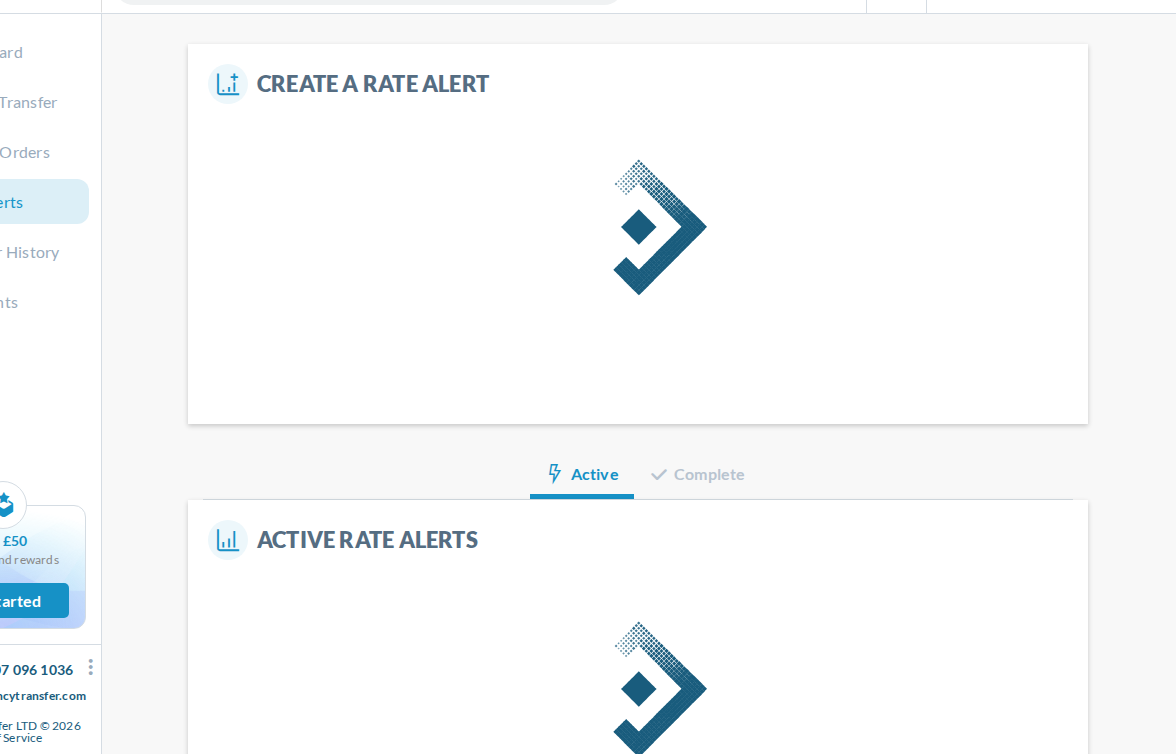
While these pages load, the Create card and the Active list each show their own full-size loader, one above the other. On a phone the second one peeks in at the bottom of the screen. It's the same thing that was fixed on the recipient page.
Why
The Create card (create-rate-alert and create-market-order) and the list (manage-rate-alert and manage-market-order) each have their own ct-loading-state, and both load at the same time.
Fix
Show one loader for the page until both have loaded, as the recipient page now does, or hold the list's loader back until the Create card has loaded.
The header cuts off company names
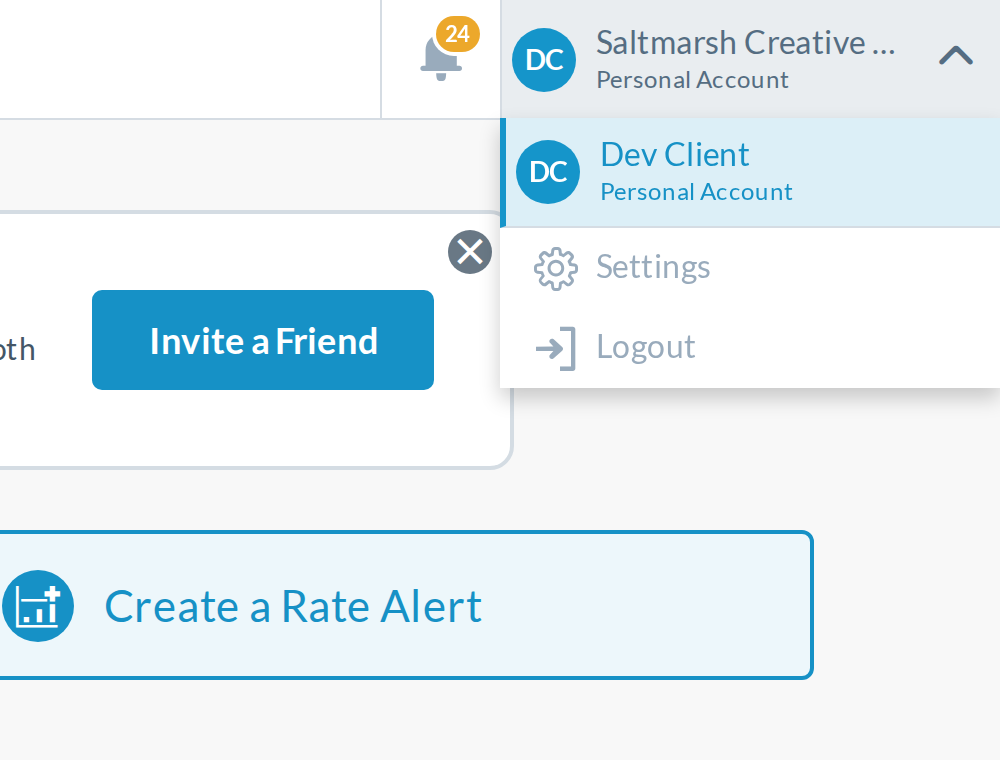
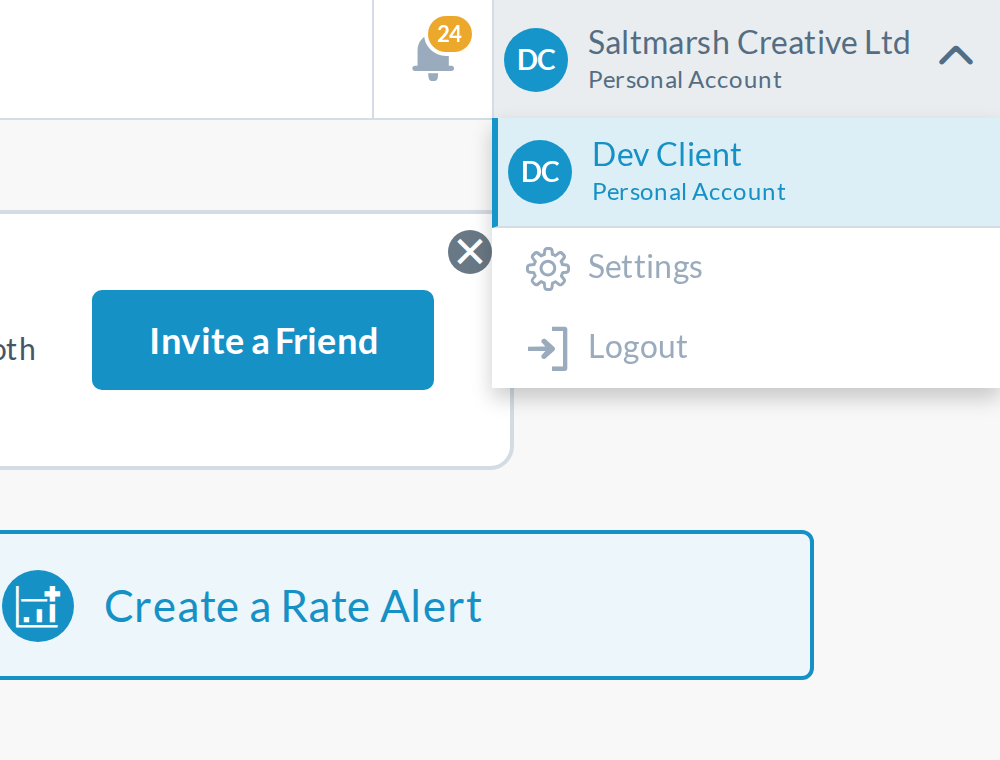
The account block is now a fixed 250px on desktop and 240px on phones, so longer names get "..." even with empty space beside them, for example "Saltmarsh Creative ..." on desktop and "Kitewing Media ..." on a phone. Production shows them in full. On phones, a blank strip left of short names still opens the menu.
Why
The width was fixed (header.component.scss) so the block doesn't change size when the menu opens. That stops the resizing but cuts off names.
Fix
// header.component.scss
ct-account-switcher { flex: 0 1 auto; width: auto; }
// from 480px up
.ct-account-list { width: auto; min-width: max(100%, 250px); }
The block fits the name, within its existing max-width, and the open menu is at least 250px wide. Tried in the browser: the full name shows, and the block keeps exactly the same width open and closed, so it doesn't bring back the resizing. On phones it also stops the blank strip from opening the menu.
The Make a Transfer form jumps when the rate loads
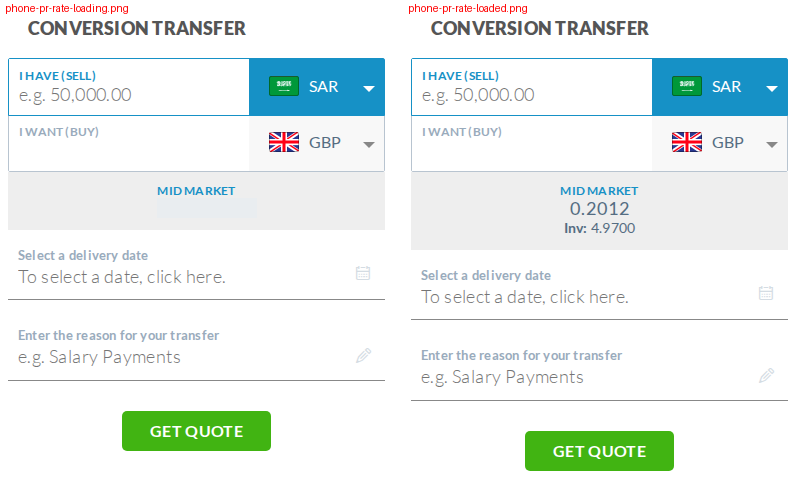
While the mid-market rate loads, its box is shorter, with one placeholder line instead of two. When the rate arrives, the date, reason and Get Quote move down 8px on desktop and 20px on a phone. It happens on every currency change.
Why
The second placeholder line (inverse-rate-loader) was removed from .market-rate-loader-container in make-a-transfer-page.component.html.
Fix
Put the second placeholder line back, so the loading box is the same height as the loaded one.
A balances failure hides the whole same-currency batch
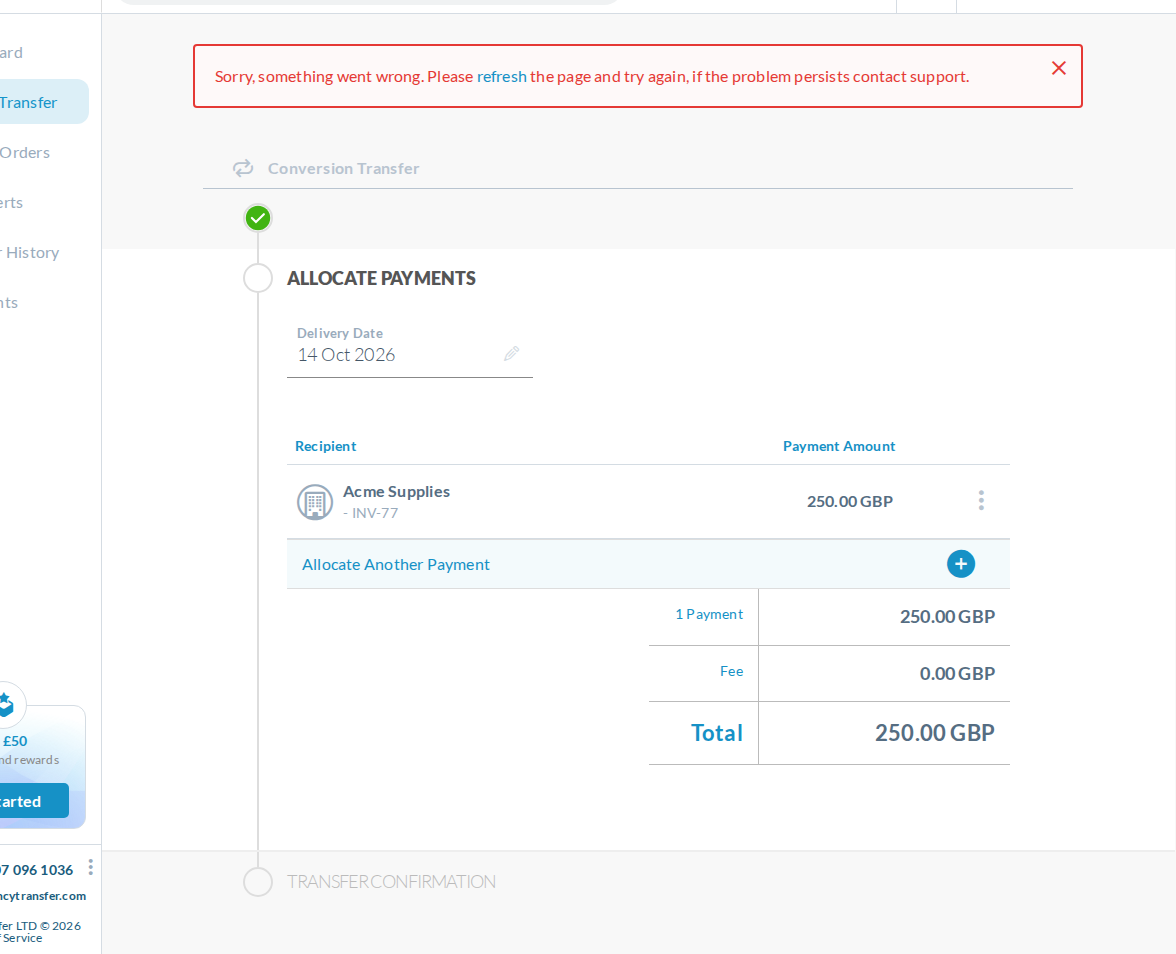
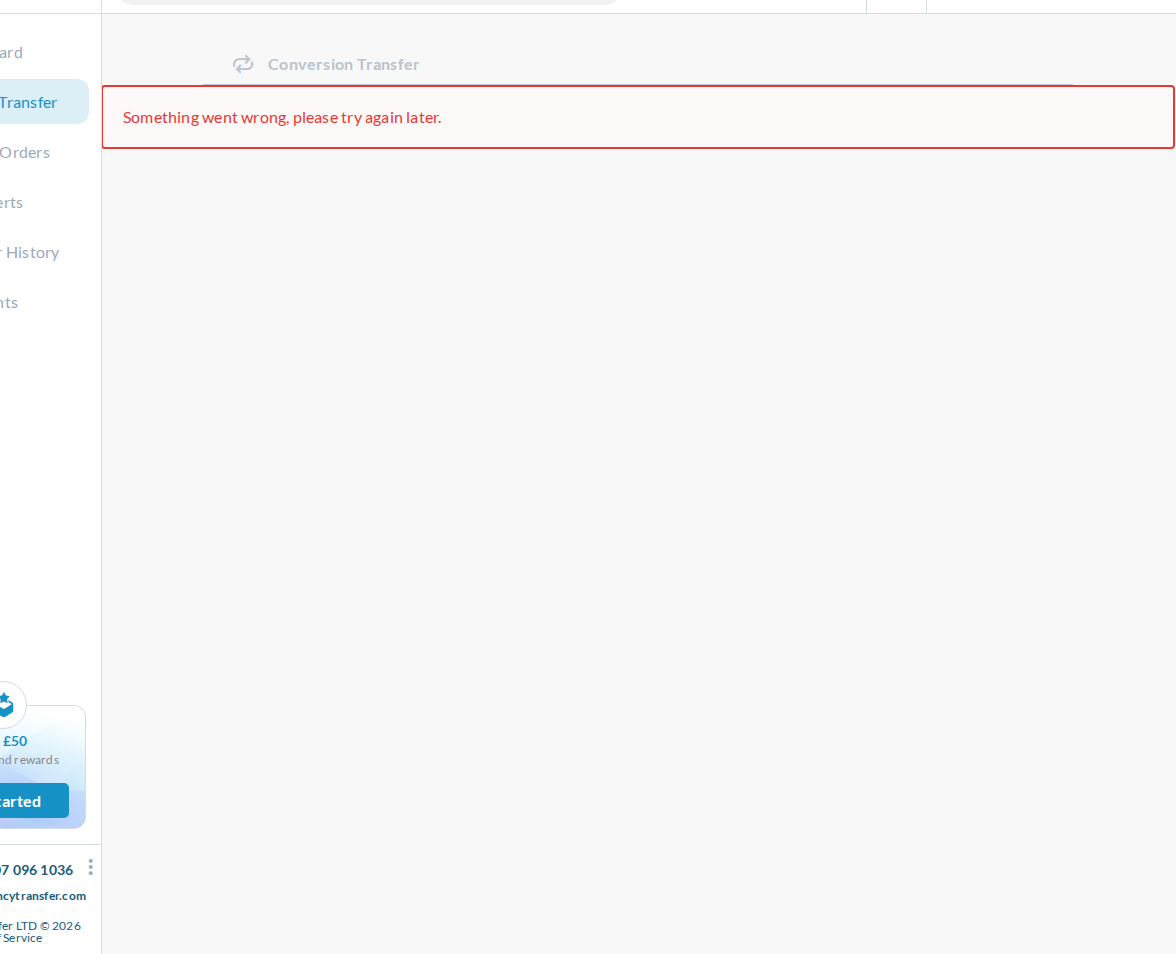
On a same-currency batch (transfers/:batch), if balances fail to load, the page shows only an error. The payments, Allocate Another Payment, Submit, Reject and Discard all disappear, though none of them needs balances. It stays like that until a full browser reload.
Why
@if (batch && balances && currencies) now wraps the whole page (same-currency-allocate.component.html:11). BalanceService also stays failed for the rest of the session.
Fix
Show the batch once batch has loaded, keep only the balance dropdown and Book or Approve behind the balance, and show the error above the batch.
Error messages show the server's wording and never clear
The new error banners show the server's text, such as "Gateway Timeout" or "Something went wrong, please try again later." Trying again later doesn't help: once balances, the dashboard or currencies fail to load, the page keeps the banner even after the server recovers, until a full browser reload.
Why
The services stop working for the rest of the session after one failure (that part is old), and the PR now shows the server's text instead of "Please refresh the page to try again."
Fix
Keep the services usable after a failure (store the error and reset their loading state rather than ending the stream), so coming back really retries. Until then, keep "Please refresh the page to try again." and show friendlier text for a 504.
The loader sits over buttons that work
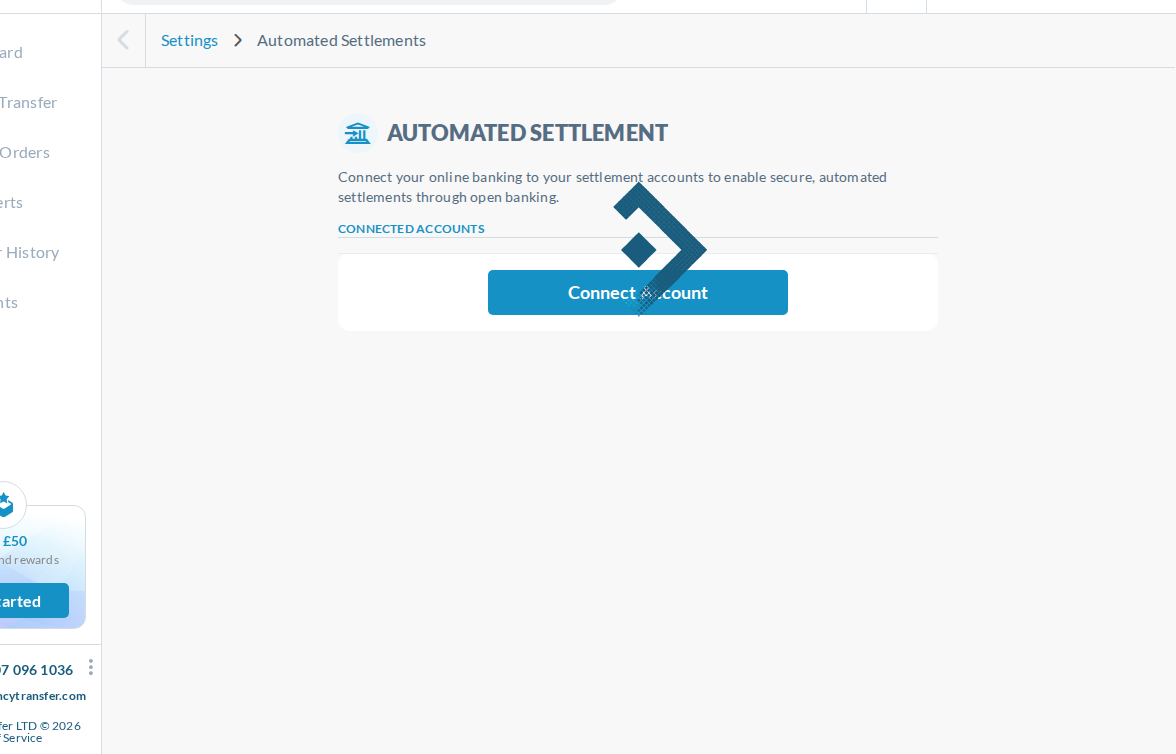
Automated Settlements shows its Connect Account button with the loader drawn over it, and clicking does nothing until loading ends. On Activated Partners, Linked Accounts, Marketing Emails and User Profile, Back, Update and Save show straight away but can't be clicked while the loader is up.
Fix
Show those buttons only once the page has loaded, or keep the loader clear of them.
Error banners run edge to edge and can stack
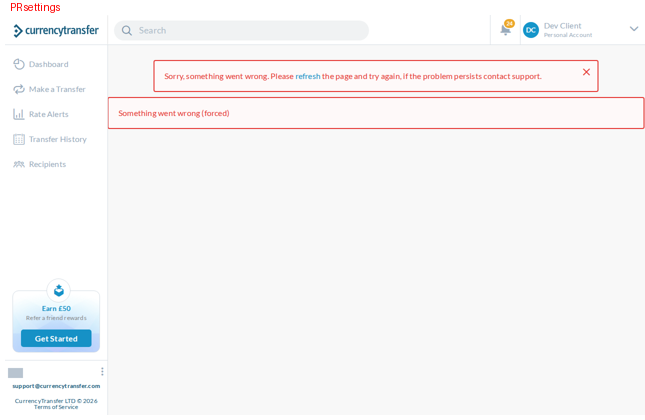
The new banners span the full width, flush under the header, with no refresh link or close button. When a request shared with the app's frame fails (for example /api/v1/user), Settings shows the app-wide banner and its own.
Fix
Use the inset style of the existing app-wide banner, and don't add the page's own banner when the app-wide one is already showing.
An expired session on rate alert quotes says "Invalid authenticity token"
If the page's session token is stale, for example after signing in again in another tab, clicking Next on Create a Rate Alert or Market Order shows "Invalid authenticity token" and keeps failing. Production tells the user to refresh the page.
Why
X-Hide-Generic-Error also switches off the refresh prompt for refresh_and_retry errors (http-request.interceptor.ts).
Fix
Still show the refresh prompt for refresh_and_retry errors when the header is set.
The loader flashes on page switches
Moving between pages flashes the loader for a split second (up to about 0.2s) on most pages, even when the data comes back quickly.
Fix
Wait about 250ms before showing the loader, so quick loads don't flash it.